
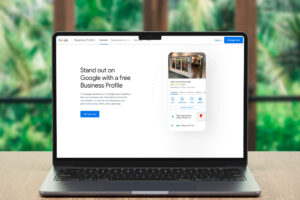
 In today’s digital landscape, having a well-optimized Google Business Profile (GBP) is essential for local businesses aiming to enhance their visibility and attract new customers. As search behaviors evolve and Google continuously updates its algorithms, understanding how to effectively manage and optimize your GBP is crucial. This guide will walk you through the steps necessary to create, optimize, and maintain a Google Business Profile that stands out in local searches.
Understanding the Importance of Google Business Profile
A Google Business Profile serves as a vital tool for local businesses, acting as a digital storefront that potential customers can access through Google Search and Maps. Here are some key reasons why optimizing your GBP is essential:
Enhanced Visibility
An optimized GBP increases your chances of appearing in local search results, particularly in the coveted local 3-pack, where three businesses are prominently displayed. This visibility can significantly drive traffic to your website and physical location.
Customer Engagement
Your GBP allows you to interact with customers directly through reviews, Q&A, and posts. Engaging with customers not only builds trust but also enhances your reputation in the community.
Insights and Analytics
Google provides valuable insights into how customers find and interact with your business. This data can inform your marketing strategies and help you understand your audience better.
Setting Up Your Google Business Profile
Creating a Google Business Profile is the first step toward optimizing your online presence. Follow these steps to set up your profile effectively:
Step 1: Create or Claim Your Business
-
- Access Google Business Profile Manager: Navigate to business.google.com and sign in with your Google account. If you don’t have one, create a new account specifically for your business.
- Add Your Business: Click on “Add your business to Google” and enter your business name. If it already exists, select it from the dropdown list.
- Choose Your Business Category: Selecting the right category is crucial as it determines how your business appears in searches. Be specific and choose the most relevant category.
Step 2: Provide Accurate Business Information
-
- Business Location: If you have a physical location, enter your address. If you operate as a service-area business, specify the areas you serve.
- Contact Information: Include your business phone number and website URL. Ensure that your website is mobile-friendly, as many users will access it via their smartphones.
- Business Hours: Clearly state your regular hours of operation, including any special hours for holidays or events.
Step 3: Verify Your Business
Verification is essential to ensure that your business information is accurate and visible. Google offers several verification methods:
-
- Postcard by Mail: Google sends a postcard with a verification code to your business address.
- Phone Verification: If eligible, you can verify your business via a phone call.
- Email Verification: Some businesses may qualify for email verification.
Once verified, your business profile will be fully functional and visible to potential customers.
Optimizing Your Google Business Profile
After setting up your GBP, the next step is optimization. Here are several strategies to enhance your profile:
Complete Your Profile
-
- NAP Consistency: Ensure that your Name, Address, and Phone number (NAP) are consistent across all online platforms, including your website and social media.
- Business Description: Write a compelling business description that includes relevant keywords. Highlight your unique selling points and what sets your business apart.
- Attributes: Utilize available attributes to provide additional information about your business, such as accessibility options or amenities.
Visual Content
-
- High-Quality Images: Upload professional photos of your business, including your logo, interior and exterior shots, and team members. Visual content helps potential customers get a feel for your business.
- Videos: Consider adding engaging videos that showcase your products or services. Videos can significantly enhance user engagement.
- Regular Updates: Keep your visual content fresh by regularly updating photos and videos to reflect any changes in your business.
Google Posts
-
- Regular Posting: Use Google Posts to share updates, promotions, and events. Regular posts keep your audience informed and engaged.
- Types of Posts: Utilize various post types, such as “What’s New,” “Events,” and “Offers,” to diversify your content.
- Call to Action: Include clear calls to action in your posts to encourage users to take specific actions, such as visiting your website or making a reservation.
Managing Customer Reviews
Customer reviews play a significant role in influencing potential clients. Here’s how to effectively manage reviews on your GBP:
Encourage Reviews
-
- Ask for Feedback: Encourage satisfied customers to leave positive reviews on your profile. You can do this through follow-up emails or in-person requests.
- Make It Easy: Provide direct links to your Google Business Profile in your communications to simplify the review process for customers.
Responding to Reviews
-
- Timely Responses: Respond to all reviews, both positive and negative, promptly. This shows that you value customer feedback and are committed to providing excellent service.
- Address Concerns: For negative reviews, address any concerns raised and offer solutions. This demonstrates your willingness to improve and can turn a negative experience into a positive one.
- Monitor Reviews: Regularly check your reviews and overall rating. This will help you gauge customer satisfaction and identify areas for improvement.
Engaging with the Q&A Section
The Q&A section of your GBP is an excellent opportunity to engage with potential customers. Here’s how to manage it effectively:
Monitor Questions
-
- Regular Checks: Frequently check the Q&A section for new questions from customers. This will help you stay informed about what potential clients are asking.
- Prompt Responses: Answer questions promptly and accurately to provide helpful information to potential customers.
Proactive Q&A
-
- Anticipate Common Questions: Identify frequently asked questions and proactively add them to your Q&A section. This can save time and improve customer experience.
- Encourage Engagement: Encourage customers to ask questions and engage with your responses. This interaction can enhance your business’s credibility.
Leveraging Google Maps Integration
Google Business Profiles are integrated with Google Maps, making it easier for customers to find your business. Here’s how to optimize this integration:
Accurate Location
-
- Pinpoint Your Location: Ensure that your business location is accurately marked on Google Maps. This will help customers find you easily.
- Directions: Verify that the directions to your business are accurate and up-to-date. This is especially important for businesses that rely on foot traffic.
Mobile Optimization
-
- Mobile-Friendly Profile: Ensure that your Google Business Profile is optimized for mobile devices. Many users will access your profile via their smartphones.
- Mobile-Friendly Website: Your website should also be mobile-friendly, as most local searches are conducted on mobile devices.
Advanced Optimization Strategies
As competition increases, adopting advanced strategies can help you stay ahead. Here are some techniques to consider:
Voice Search Optimization
-
- Natural Language Queries: Optimize your GBP for voice search by using natural language in your descriptions and posts. This aligns with how users typically speak when using voice assistants.
- Structured Data Markup: Implement schema markup on your website to help search engines understand your business information better.
AI and Automation
-
- Automated Posts: Use AI tools to automate the generation and scheduling of Google Business posts. This can save time and ensure consistent engagement.
- Review Monitoring: AI can also help monitor reviews and suggest responses, making it easier to manage customer feedback.
Local Service Ads
-
- Optimize Your LSA Profile: Ensure your Local Services Ads profile is complete and accurate. This includes your business information, services offered, and service area.
- Manage Reviews: Encourage customers to leave reviews on your LSA profile, as positive reviews can improve your ranking.
Tracking Performance and Making Adjustments
Monitoring your Google Business Profile’s performance is crucial for ongoing optimization. Here’s how to track your success:
Utilize Google Insights
-
- Analyze Data: Use Google Insights to analyze how customers find and interact with your profile. This data can inform your marketing strategies.
- Adjust Strategies: Based on the insights gathered, adjust your strategies to improve engagement and visibility.
Competitor Analysis
-
- Monitor Competitors: Keep an eye on your competitors’ Google Business Profiles. Analyze their strategies and identify areas where you can improve.
- Local Keyword Research: Conduct local keyword research to identify relevant terms that potential customers are searching for. This can help you optimize your profile further.
Optimizing your Google Business Profile is an ongoing process that requires attention and effort. By following the steps outlined in this guide, you can enhance your online visibility, engage with customers effectively, and ultimately drive more traffic to your business. As search behaviors continue to evolve, staying informed about the latest trends and strategies will ensure that your business remains competitive in the digital landscape.
Our Online Marketing Packages Include Google Business Profile Optimization Services
We create a comprehensive Internet Presence for our clients using a website that converts, blogs, featured work posts, search engine optimization, social media, email marketing, online reviews, video podcasts, videos, graphic design, and more.
> Learn More
Contact us (954-228-5812) today to get started!
—
 ABOUT MAIN STREET MARKETING
Since 2006, Main Street Marketing has been creating Internet Presence Solutions for small businesses. Main Street Marketing uses internet marketing, search engine optimization, social media, lead generation, and video to create a true Internet Presence for its clients. When integrated correctly, this core group of services provide results together that none of the services could provide on their own or in phases.
>> Learn More